Desk notes · tesla referral code model y
How to Order the New Tesla Model Y L With a Referral Code (Step by Step)
Same referral mechanism as any Model Y order, but the six-seat L is new enough on the configurator that a walkthrough is worth having on record. Here are the actual steps.
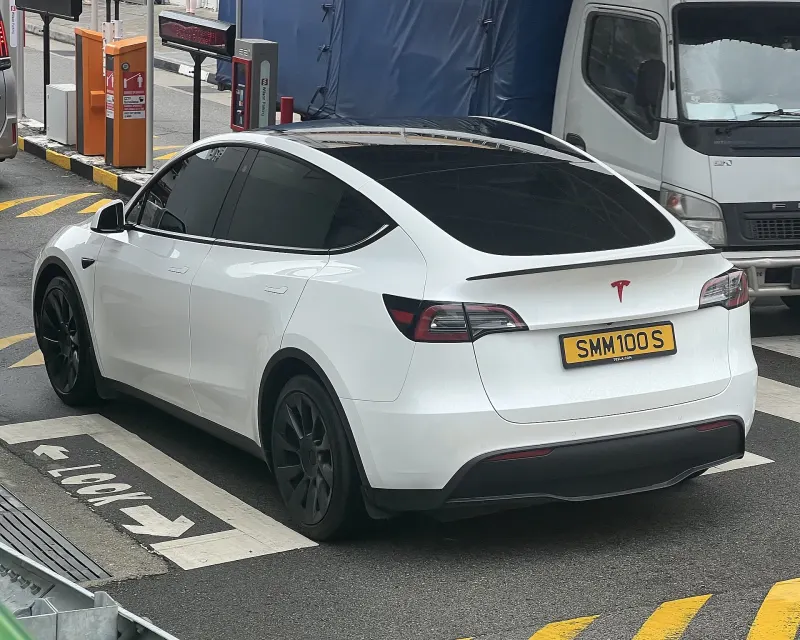
Our earlier post on the Model Y L covered what to check at delivery. This one is about the ordering session itself — the actual sequence of steps for placing a referral-linked order on a trim that only just appeared on Tesla's site. The referral mechanics aren't new; the model picker screen is, so it's worth walking through once.
Step 1 — open your referral link before touching the model picker
Same rule as every other Tesla order: open a valid referral link (ts.la/<code>) in the browser you'll order in, before you go anywhere near the configurator. This tags your session with the code. Because the Model Y L is a new option on the model picker, it's tempting to click around comparing trims first and open the link afterward — don't. If you've already been browsing, start over from the link.
Step 2 — select Model Y, then the L configuration
On Tesla's model picker, the Model Y L appears as a configuration under the Model Y line rather than as a separate model — it's the six-seat, three-row layout launched July 2, 2026 at $61,990 for the Launch Series, roughly 180mm longer than the standard Model Y with a 2+2+2 seating arrangement. Select it the same way you'd select any other Model Y trim; nothing about the referral tagging changes based on which trim you pick next.
Step 3 — configure options as normal
Color, wheels, interior and any other options work exactly as they do on the standard Model Y. Because the L just launched, some option combinations or delivery-estimate windows may still be settling — that's a configurator/inventory detail, not a referral one, and it's worth double-checking your specific delivery estimate on Tesla's own site rather than assuming it matches the standard Model Y's current lead time.
Step 4 — the order-summary check
Reach the order summary — the price breakdown screen before payment — and look for the referral benefit listed as an included line: three months of Full Self-Driving (Supervised). This is the moment that matters most in the whole sequence. If it's missing, stop before paying; re-open the referral link and rebuild the configuration rather than submitting and hoping to fix it afterward. Tesla does not add a referral to an order once it's placed.
Model Y L launch details checked against Electrek's July 2026 reporting and Cars.com's 2026 Model Y pricing breakdown; referral order-flow mechanics checked against Tesla's Refer and Earn page. The eligible-model rule (Model 3 / Model Y / qualifying Cybertruck) applies to every Model Y trim, including the L, without exception.
Step 5 — submit, then keep your confirmation
Once the FSD (Supervised) trial line is confirmed, submit the order and save the confirmation email alongside a screenshot of the order summary. It costs nothing and is the only record you'll have if the benefit doesn't show as expected later — a habit worth keeping on any Tesla order, new trim or not.
What's actually new here, and what isn't
The only genuinely new part of this sequence is Step 2 — a trim that didn't exist on the configurator a few weeks ago. Everything else, including the parts that determine whether your referral benefit applies, is identical to ordering any other Model Y. If you want the full pricing context (Standard RWD at $41,630 up to Model Y L at $63,630 with fees) or what to verify once the car actually arrives, our delivery checklist post covers the stage after this one.